DURANGO
Durango Code

Run AI coding agents across many projects on an infinite canvas.

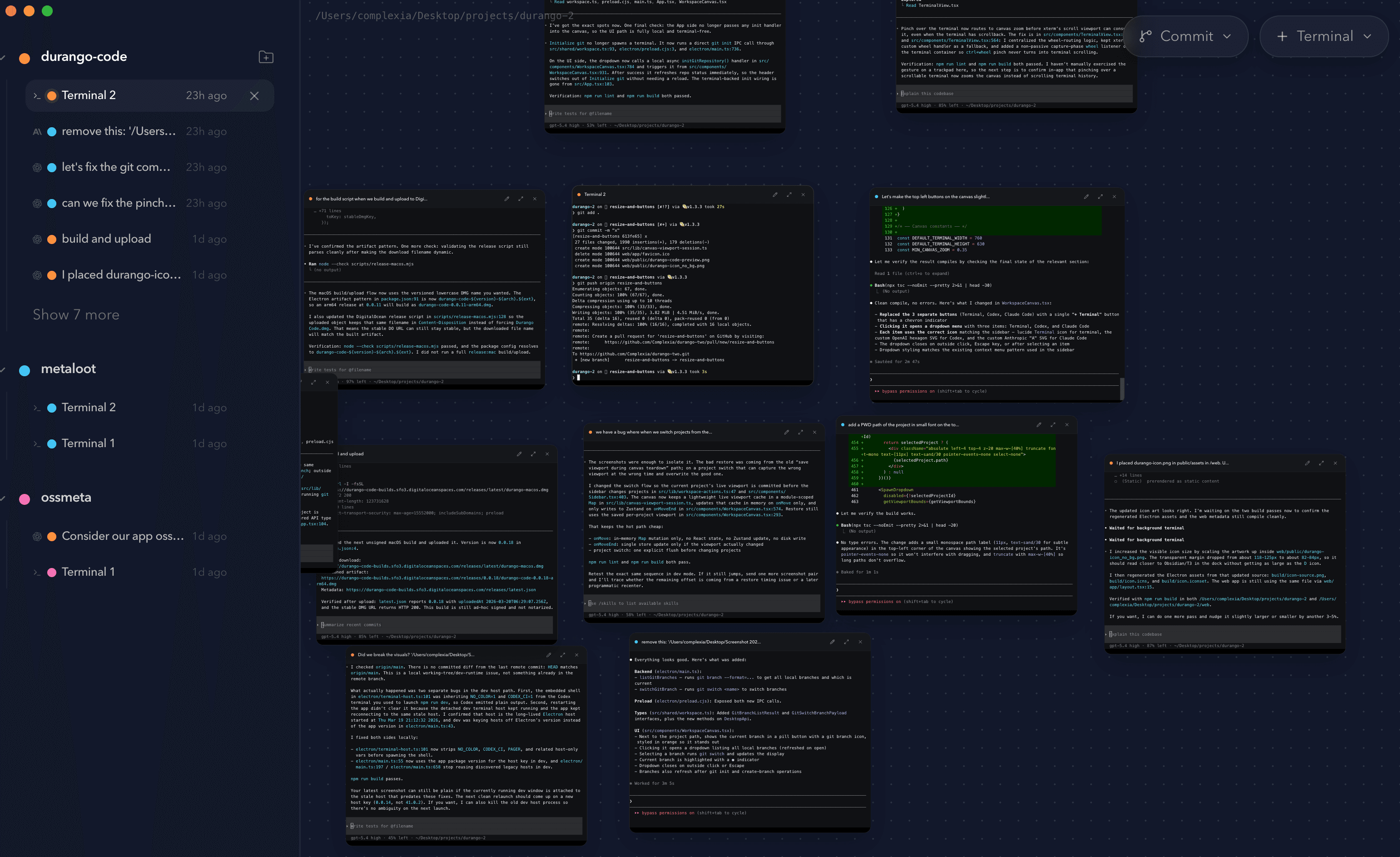
Durango Code is allows you to spawn and run any CLI agent on an infinite canvas. Best for parellel workloads across many projects.

Set NEXT_PUBLIC_DO_SPACES_PUBLIC_BASE_URL in .env.local to enable the download button.

01

Add local projects

Each project has its own canvas, on which you can open multiple terminals and run agents in parallel. Each terminal is a thread you can navigate to from the sidebar.

02

Place terminals on the canvas

Open, move, and resize terminal sessions anywhere on an infinite canvas so the work stays spatial instead of getting buried in tabs.

03

Run agents in parallel

Launch CLI agents across many projects at once, compare outputs side by side, and keep every long-running session visible while you navigate the workspace.

Desktop workflow, not a browser control plane.

The canvas is the interface. You can spread active terminals across it, keep separate projects nearby, and manage parallel agent work without collapsing everything into a single pane or queue.

Durango Code desktop workspace preview with an infinite canvas of terminal-native AI coding sessions

Many projects, one workspace

Keep a shared desktop view of all the repos you are touching instead of hopping between isolated windows and temporary checkouts.

Terminal-native agent runs

Durango Code is built around real terminals, so your existing CLI agents, scripts, and tooling run where they already belong.

Canvas context over tab chaos

Spread related sessions across the canvas, group parallel threads visually, and keep the whole workflow legible while work is still in flight.